Tag Archive | "Windows"

Windows Phone 7 Series Impression


Windows Mobile team has re-written its Windows Mobile OS with the 7 Series .

For the geeks out there that was looking for a “Zune Phone” that’s basically what the user interface is based off of.

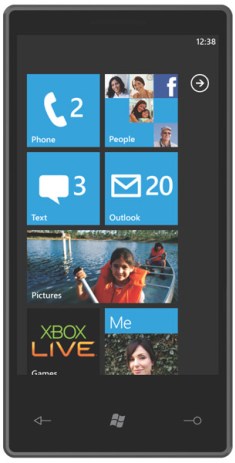
Featuring different Hubs such as People,Pictures,Office,Games,Music & Video this hubs can be accessed through Dynamic  Tiles on the home-screen that updates  via online services such as Facebook & Windows Live.

The Windows Phone 7 in my opinion is not a big competition For its competitors,  iPhone OS & Android OS.

Let us Know what you think?

Leave a comment!

Popularity: 5% [?]

Posted in Cell PhonesComments

HTC Imagio **sneek peak**


htc-imagio-vzw-ofcWe at the The Gadget 411 are one of the few to get our hands on this innovative device. which features And not limited to the following.

1)      Windows Marketplace (launches with 6.5)

2)      V-Cast: Provides Mobile TV, music downloads, streaming video clips, and unlimited airtime for all videos and games.

3)      5 Megapixel Camera w/ Autofocus for all your pictures and videos.

4)      Access all messaging and communications by contact

5)      Large vibrant 3.6 in Touch Sensitive screen with vivid and rich colors.

Stay tuned readers for the REVIEW!

Popularity: 11% [?]

Posted in Cell PhonesComments

Leak: Inside the Microsoft Store With Wall-Sized Screens and the Answers Bar


3754792108_870630e0b8_o

We’ve been wondering what the Microsoft’s retail shops are going to be like. Well, according to a Powerpoint presentation leaked to us, it’s going to make the Apple Store look downright boring. UPDATE: Microsoft comments.

The presentation is by Lippicott, a “design and brand strategy” consultant firm with extensive retail experience that it appears Microsoft has hired to help develop the store’s concept, principles, and design. It looks pretty legit to us–if it’s a fake, it’s fairly elaborate, with detailed graphics, research, plans and even rough store layouts.

Essentially, Microsoft is taking the best elements from the Apple Store, Sony Style and other “flagship” stores. The main focuses are going to be Windows 7, Xbox, PCTV (Windows Media Center) Surface and Windows Mobile, revolving around this concept customer they call “Emily,” who’s basically a younger version of your mom, since they make all the buying decisions.

Frank Shaw w/ Waggener Edstrom, left a comment below on behalf of Microsoft, implying that many of these concepts are merely that and not final plans:

“As a part of our process in briefing creative agencies, we shared some early prototypes and concepts of our retail store plans. No final decisions have been made. As we previously announced, we are on track to open retail stores this Fall.”

That said, it’s still probably a pretty good indication of how Microsoft and its consultants are thinking about their store, at least at the beginning of this month, since the presentation is dated July 7.

Here are the highlights of the slides, if you just wanna skip to the meat of the 140 slides we got and the 54 we posted:

• There’s going to be a Digital Media Wall–a massive screen–that wraps around the entire store showing various messages, which you can see in some of the slides
• Personalization is something they’re stressing big time, with fancy areas devoted to customizing computers and gadgets using an “Xbox style” interface at various kiosks
• Here’s a sample store layout
• Lots of Surface demos
• Stage areas for Windows 7, Windows Media Center (PCTV) (it’s kinda surprising how much they’re pushing PCTV, actually), Windows Mobile and netbooks
• Their take on the Genius Bar is the Answers Bar (or Guru Bar or Windows Bar, depending on which slide you look at, showing it’s slightly up in the air, though we prefer Answers Bar since its sounds like slightly less like a Genius Bar ripoff)
• Apple Store-style table layouts
• Some of the stores they profiled for ideas are Nike, Nokia, Sony, Apple and AT&T
• They’re already planning out huge demos and events around Project Natal and their secret mobile project Pink
• A fancy Microsoft shopping bag
• You can pay to have your birthday party at the Microsoft Store

In short, if it’s anything like what Lippincott is planning, it sounds absolutely amazing, and we’ll be lining up the first day it opens.

Popularity: 7% [?]

Posted in Features, NewsComments

Samsung Jet – Smarter Than A Smartphone


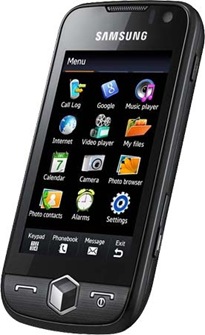
smasung-jet-cell-phoneSamsung has officially unveiled the next era in smartphones! The highly-anticipated, new Samsung Jet supports the latest smartphone features which include multi-task manager and Microsoft Exchange ActiveSync, bringing user-friendly menu navigations in a sleek and compact design.

The Jet’s pioneering 16M WVGA AMOLED display (3.1”) offers vivid and colorful full touch mobile experience available; the WVGA AMOLED screen provides a resolution that is four times higher than a WQVGA screen. The 800MHz application processor delivers breathtaking speed and stunning performance, making Jet the fastest full touch handset on the market today.

Samsung’s latest TouchWiz 2.0 user interface new features such as intuitive 3D media gate UI and motion-response UI, smart unlock, customizable widget screen. The Dolfin Web browser lets users surf the net and access popular websites, especially social networking sites, with ease and speed. The 5 mega-pixel camera, built-in GPS, DNSe & SRS Sound Effect technology for superior sound quality, and DivX and XviD video support for hassel-free video downloading and viewing.

The Samsung Jet Cell Phone Specifications:

- 2.5G: 850 / 900 / 1800 / 1900 MHz
- 3G: 900 / 2100 Mhz , HSDPA 3.6Mbps
- EDGE/GPRS Class 12
- Battery Li-ion, 1100mAh
- Dimension: 108.8*53.5*11.9mm / 110g

- 3.1-inch WVGA AMOLED touchscreen display, 16M colors
- 5 megapixel AF camera, Dual Power LED
- 800MHz Application Processor
- TouchWiz 2.0 user interface with new features such as intuitive 3D media gate UI and motion-response UI, smart unlock, customizable widget screen.
- Full HTML Dolfin Web browser
- GPS
- DNSe & SRS Sound Effect technology
- DivX and XviD video support
- Microsoft Exchange support

samsung-jet-cell-phone-accessories

Popularity: 27% [?]

Posted in Cell Phones, NewsComments

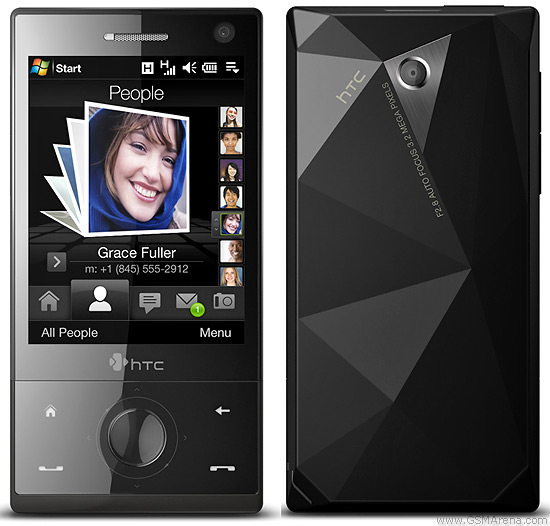
HTC TOUCH Diamond Reviewed! by TheGadget411


s7300008Thanks to Verizon for sending me there Htc Touch Diamond. Check out the Specs Below.

2G Network GSM 900 / 1800 / 1900
GSM 850 / 1800 / 1900 – American version
3G Network HSDPA 900 / 2100
HSDPA 850 / 1900 – American version
Announced 2008, May
Status Available. Released 2008, May
Size Dimensions 102 x 51 x 11.5 mm
Weight 110 g
Display Type TFT resistive touchscreen, 65K colors
Size 480 x 640 pixels, 2.8 inches
- TouchFLO 3D finger swipe navigation
- Accelerometer sensor for auto-rotate
- Proximity sensor for auto turn-off
- Touch-sensitive navigation controls
- Handwriting recognition
Sound Alert types Vibration; Downloadable polyphonic, MP3, WAV, WMA ringtones
Speakerphone Yes
Memory Phonebook Practically unlimited entries and fields, Photocall
Call records Practically unlimited
Internal 4 GB storage, 192 MB RAM, 256 MB ROM
Card slot No
Data GPRS Class 10 (4+1/3+2 slots), 32 – 48 kbps
HSCSD No
EDGE Class 10, 236.8 kbps
3G HSDPA, 7.2 Mbps
WLAN Wi-Fi 802.11 b/g
Bluetooth Yes, v2.0 with A2DP
Infrared port No
USB Yes, miniUSB
Camera Primary 3.15 MP, 2048×1536 pixels, autofocus
Video Yes, CIF@30fps
Features OS Microsoft Windows Mobile 6.1 Professional
CPU Qualcomm MSM 7201A 528 MHz processor
Messaging SMS (threaded view), MMS, Email, Instant Messaging
Browser WAP 2.0/xHTML, HTML
Radio Stereo FM radio with RDS
Games 1, motion-based + downloadable
Colors Black
GPS Yes, with A-GPS support
Java Yes, MIDP 2.0
- Pocket Office (Word, Excel, PowerPoint, OneNote, PDF viewer)
- Voice memo
- MP3 player
Battery Standard battery, Li-Ion 900 mAh
Stand-by Up to 285 h
Talk time Up to 5 h 30 min

MY overall rating of the phone is a 4  out of 5 stars.

Pros:

  • Large touch screen
  • touch flow UI
  • Windows mobile 6
  • Great Battery Life
  • Verizon Service
  • Accelerometer
  • Built in Games
  • 3.2mp camera
  • Sleek Design

Cons:

  • No Qwerty keyboard
  • No port for headphones while charging have to use extension.
  • Freezes at time

After taking this phone out the box i was very impressed. Windows mobile 6 looked very sexy with the touch flow 3d interface. In the programs menu, It comes packed with alot of programs like  Office Mobile,Adobe reader LE, YouTube App, Internet Explorer(2ND web browser, This phone ships with opera as the default web browser).


Typing a long text message with this phone can get very annoying to me. With the built in hand recognition tool in the message software  makes it sorta fun.  I guess i would have to say this isn’t the phone for a business man who sends lots of emails a day.

The 3.0  megapixel camera also impressed me. I love the panorama mode where you can take  3 photos and make them in to one landscape photo.

Listening to music and charging this phone can be a difficulty  this phone only  has 1 port. This is the charger/headphone. There is an adaptor that come with it, but why carry around a bulky adapter.

The Battery life , In three words “is KICK ASS” i left this phone on for about 2 weeks not doing anything(no programs or anything)  and just as im typing this review I’m getting a low battery notice.

So Overall I rate this a  4/5 … This Phone is avaliable now through Verizon!

Popularity: 8% [?]

Posted in NewsComments

Apple Announces Safari 4—The World’s Fastest & Most Innovative Browser


Feburary 24th-

Apple® today announced the public beta of Safari® 4, the world’s fastest and most innovative web browser for Mac® and Windows PCs. The Nitro engine in Safari 4 runs JavaScript 4.2 times faster than Safari 3.* Innovative new features that make browsing more intuitive and enjoyable include Top Sites, for a stunning visual preview of frequently visited pages; Full History Search, to search through titles, web addresses and the complete text of recently viewed pages; Cover Flow®, to easily flip through web history or bookmarks; and Tabs on Top, to make tabbed browsing easier and more intuitive.

Read the full story

Popularity: 1% [?]

Posted in NewsComments

Microsoft Unveiled Windows Mobile 6.5 and My Phone Service and Windows Marketplace at MWC2009


msft-press-event-mwc09-06

Together with the rebrand of Windows Mobile smartphone to Windows Phone, Microsoft has offcially announced its My Phone data backup service and Windows Marketplace for application store. The new marketplace that will provide direct-to-phone mobile applications and can be accessed from both the phone and the Web. Featuring a revamped home screen, the new Windows Mobile 6.5 home screen keeps people up-to-date on important information by providing a dashboard-like experience to items such as new e-mails, texts, missed calls and calendar appointments. It also includes an improved touch-screen interface, making it easy to take action with a finger, and an updated version of the latest Internet Explorer Mobile browser.


Read the full story

Popularity: 16% [?]

Posted in CES 2009, MWC2009Comments

Microsoft Announces Availability of Windows 7 Beta and Windows Live


01-07ballmer_cesEarlier last week I got a chance to take a look at Windows 7 for the first time. I was impressed. It was very clean and had a noticeable improvement in speed and performance over Vista. It is still in the early stages and hopefully Microsoft doesn’t screw this one up. At CES they official announced the OS and details on the beta.

LAS VEGAS — Jan. 7, 2009 — In a keynote address at the 2009 International Consumer Electronics Show (CES), Microsoft Corp. Chief Executive Officer Steve Ballmer announced the beta availability of the Windows 7 operating system as well as the availability of the latest version of the Windows Live, a suite of personal communications services and applications.

“I’m thrilled to announce the availability of the Windows 7 beta, which is on track to deliver simplicity and reliability,” Ballmer said. “Windows 7 and Windows Live are part of an incredible pipeline of consumer technology that is making it easier than ever for people to communicate, share and get more done.”

The beta version of Windows 7, Microsoft’s next-generation PC operating system, can be downloaded today by MSDN, TechBeta and TechNet customers. Consumers who want to test-drive the beta will be able to download it beginning Jan. 9 at http://www.microsoft.com/windows7.

Microsoft also announced the global availability of Windows Live, a free suite of communications and sharing applications. Windows Live makes it easy for people to communicate, share and keep their online lives in sync and in one place with one login. The new and enhanced Windows Live services — including PCMag.com 2008 Editors’ Choice winner Windows Live Messenger — along with Windows Live Mail and Windows Live Photo Gallery are designed to work seamlessly with more than 50 popular Internet services. Ballmer also announced new alliances with the following companies:

• Dell Inc. In February, to offer a comprehensive experience for consumers to connect, share and personalize their content, Dell will offer preloaded Windows Live Essentials (a free suite of applications for instant messaging, e-mail and photos that complement Windows Live on the Web) and Live Search on a majority of its new consumer and small-business PCs globally.

• Facebook. In the coming months, Facebook users can choose to share content they post on Facebook, including photos, directly into Windows Live.

• Verizon Wireless. Under a new five-year relationship that covers mobile search and advertising, Verizon subscribers in the U.S. will be able to use Live Search to search for local business and shopping information; access maps and directions; perform general Internet searches; and find ring tones, games, wallpaper and other online mobile products and services.

Together with Internet Explorer 8, currently in beta and releasing soon, Windows Live helps make the things people do most on the Web (searching, sharing and communicating) faster and less complex with fewer clicks, logins and customizations. Windows Live is now available for download at http://www.windowslive.com/explore, or automatically via Microsoft Update for current customers.

Windows 7 Consumer Features Showcased

Microsoft demonstrated new features and key improvement in Windows 7 based on listening to the needs of customers. Windows 7 is designed to do the following:

• Work the way consumers want. With Windows 7, Microsoft paid special attention to performance, reliability, security, compatibility and battery life. The company is on track to deliver a great experience that will allow customers to spend more time doing the things they want to do, without the operating system getting in the way.

• Make everyday tasks faster and easier. The more streamlined and intuitive design of Windows 7 is intended to simplify the things people do every day on their PCs. Desktop improvements make using the PC easier and provide immediate access to the applications and files people use most often through features such as Jumplists, Previews and the new Taskbar. The new Home Group feature makes it easier for consumers to connect multiple home PCs together to share printers and access files, music, photos and videos. Device Stage makes connecting and working with devices easier than ever with a single interface to manage devices and run common tasks. New multitouch technology in Windows 7 will enable people with touch-screen monitors to use multiple fingers to interact with their PC screens in a more intuitive way.

• Offer a better entertainment experience. Consumers today have access to more digital media and are increasingly using the PC as the hub of their electronic experiences. The “Play-to” feature in Windows 7 allows easier streaming of music, video and photos to devices in a home network. Windows Media Player and Windows Media Center in Windows 7 have built-in support for more media formats so people can use their PC to play more media content and sync it to a broader range of devices. As an alternative to monthly digital video recording (DVR) fees, Windows Media Center, available in some editions of Windows 7, with a TV tuner and improved user interface, makes recording TV free and easy.

Entertainment That Extends Across Devices; New Xbox Experiences Previewed

Microsoft’s president of the Entertainment & Devices Division, Robbie Bach, shared the stage at CES with Ballmer. Bach addressed Microsoft’s unique ability to deliver entertainment on virtually any screen that consumers commonly use today, including the PC, TV and mobile phone.

Microsoft chief executive officer Steve Ballmer delivers the pre-event keynote at International CES 2009; Ballmer announced the availability of Windows 7 beta and new partnerships with Web sites such as facebook. Jan. 7, 2009, Las Vegas.

Despite a tough holiday and economy, Xbox 360 registered its biggest year ever, driven by record sales at retail with 28 million consoles sold to date, an 84 percent jump in online consumer spending, and Xbox LIVE membership that has grown to 17 million active members.

“Not only is Xbox 360 one of the world’s leading next-generation gaming consoles, but with partners like Netflix, it is one of the world’s leading entertainment devices, period,” Bach said. “With 28 million consoles sold worldwide, an active online community of 17 million members, and more than $1 billion spent on Xbox LIVE since the launch of the Xbox 360, it’s clear that consumer demand for these great entertainment experiences has never been higher. We’re only beginning to scratch the surface of what’s possible with Xbox.”

Bach shared how consumer demand for connected TV experiences is growing and announced the Mediaroom platform has reached nearly 2.5 million subscriber homes worldwide, an increase of more than 1.5 million new connections in the past year alone. The award-winning Microsoft Mediaroom is driving the future of television by enabling broadband service providers to deliver new connected TV and entertainment experiences to consumers around the world. Bach also unveiled a groundbreaking feature called Mediaroom Anytime that lets subscribers access previously aired shows directly from the Interactive Program Guide without any pre-planning or prior DVR recording.

Bach discussed how Microsoft is making it easier than ever for people to synch their entertainment content across the screens in their lives. This month, Microsoft and Netflix, the world’s largest online movie rental service, will offer software that enables Windows Mobile customers to update and view their Netflix movie queue. Changes will appear instantly on Netflix on Xbox LIVE, extending the existing service that launched in November. Xbox 360 is the only game system that lets people instantly watch thousands of movies and TV episodes streamed from Netflix, many in HD.

Bach also spoke about how Xbox 360 and Xbox LIVE are transforming the way people enjoy interactive entertainment at home. This spring, Microsoft will introduce a new interactive entertainment genre with the premiere of the Xbox LIVE Primetime channel, which brings together the best of TV and gaming. Xbox LIVE Primetime will debut with an online version of the popular TV show “1 vs. 100” that enables thousands of gamers to play together with real hosts and compete for real prizes.

In addition, Bach talked about the outpouring of creativity from the Xbox community since the announcement of Community Games in November, with over 100 new games available for anyone to play. He highlighted an upcoming Xbox LIVE Community Game called “Kodu,” launching in the spring, designed to help anyone from age 7 to 70 create their own video games.

Additional information about Microsoft at CES 2009 is available on the Microsoft CES Web page at http://www.microsoft.com/ces.

Founded in 1975, Microsoft (Nasdaq “MSFT”) is the worldwide leader in software, services and solutions that help people and businesses realize their full potential.

Note to editors: If you are interested in viewing additional information on Microsoft, please visit the Microsoft Web page at http://www.microsoft.com/presspass on Microsoft’s corporate information pages. Web links, telephone numbers and titles were correct at time of publication, but may since have changed. For additional assistance, journalists and analysts may contact Microsoft’s Rapid Response Team or other appropriate contacts listed at http://www.microsoft.com/presspass/contactpr.mspx.


Popularity: 3% [?]

Posted in CES 2009Comments

Dropbox is Your File Storage Answer


dropboxIf you are looking for a way to share and store your files online then Dropbox could be your solution.  This easy to use interface allows you to sync files automatically to your computers and the web.After a short install to your Windows, Mac or Linux based computer, you have the ability to drag and drop files into your Dropbox folder. Any files or folders inside Dropbox will get synchronized to Dropbox’s servers and any other computer linked to your account. This data is also accessible by using the web interface at www.getdropbox.com. If you are concerned about security, rest easy. All data is transferred over SSL and encrypted with AES-256 before storage. If you currently utilize Apple’s MobileMe you will find that Dropbox is very similar. It has some added functionality for file sharing and includes access for Linux users which is a group that Apple failed to recognize. The cost is perfect for most users. It’s free with 2GB of space. Deleted files and revisions don’t currently count against your quota. If you are looking for more storage, you have the ability to upgrade to 50GB of space for $9.99 per month or $99 per year. Dropbox is also smart with how it tracks changes to files. When a change is made, Dropbox only transfers the piece of the file that changed, making it easy to work with big files like Photoshop or Powerpoint documents. In looking at this site and service it was hard to find any reason not to take advantage of something like this. For a link to download the software and more information, please go to www.getdropbox.com. Try this out and let me know what you think in the comment section below.

Popularity: 4% [?]

Posted in Software, Website ReviewsComments

You Dream it, Asus builds it , Intels Inside it Dream On!


Today i checked out WePc.com. Intel and ASUS has teamed up and  created a site where you can bulid, draw or upload a picture of your dream PC. The users on the site vote on the best dream pc.  Also ,Your designs, feature ideas and community feedback will be evaluated by ASUS and could influence the blueprint for an actual notebook PC built by ASUS with Intel inside.

How Cool!  Get over to

WePc.com
and get designing.

Popularity: 2% [?]

Posted in Website ReviewsComments

  • Sign up for The Gadget 411 Newsletter

    powered by MailChimp!
  • Switch to our mobile site